Appearance
Emails export
With the eWizard Export service, you can transform your emails into the desired format. For this, you have two options:
Export for a target system. This option creates a ZIP archive out of your email. The resulting ZIP archive is compatible with your target system and is ready for upload there.
Export as a document. This option creates a PDF file ready for its immediate use.
To export the email:
Unfold its more options.
Click
Exportand select the required option:
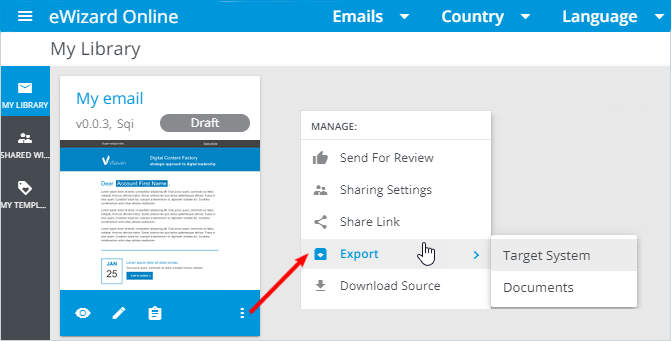
For
Target system, theExportpop-up appears. Select the target system and clickEXPORT.For
Documents, clickEXPORTin theDownload aspop-up that appears.
When the export operation is complete, you receive an email notification with a unique link to download the resulting ZIP archive or PDF file.
You can also download the item from the email Details page under the EXPORTS and DOCUMENTS tabs.
Further steps depend on the required export destination.
To check the email export history within your company, go to Publish manager.