Appearance
Blocks editing
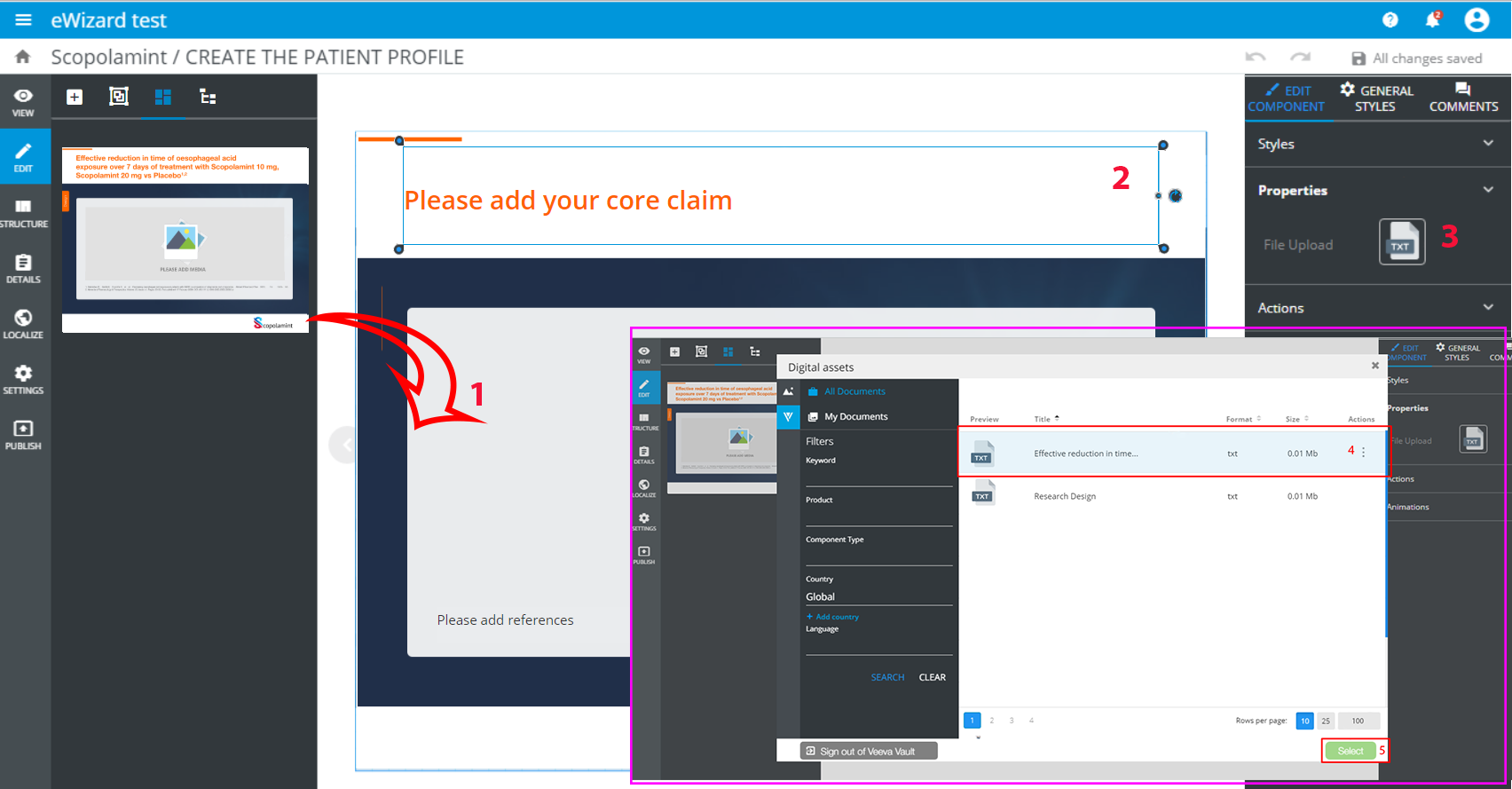
While editing a block, you can fetch text documents and images from Veeva Vault. Follow the steps to do so:
- Drop&drag a block to the layout [1].
- Click any component in the block [2] and
File Uploadin thePropertiestab [3]:
- Log in to
Veeva Vault - Select a text document [4]
- Click
Select[5]
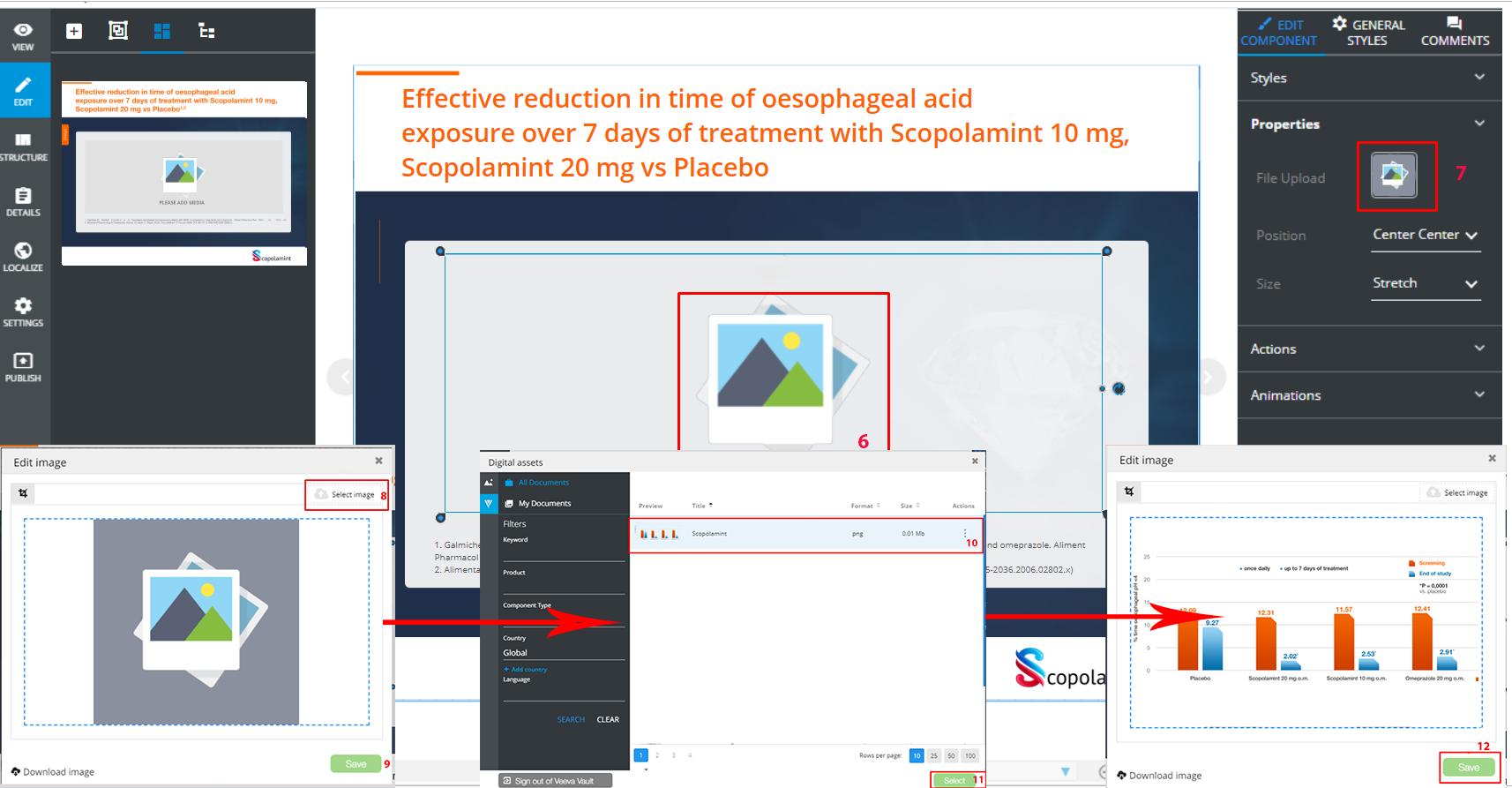
- Click an image in the block [6] and
File Uploadin thePropertiestab [7]:
- Click
Select image[8]. - Log in to
Veeva Vault - Select an image [10]
- Click the
Selectbutton [11] - Click
Save[12]
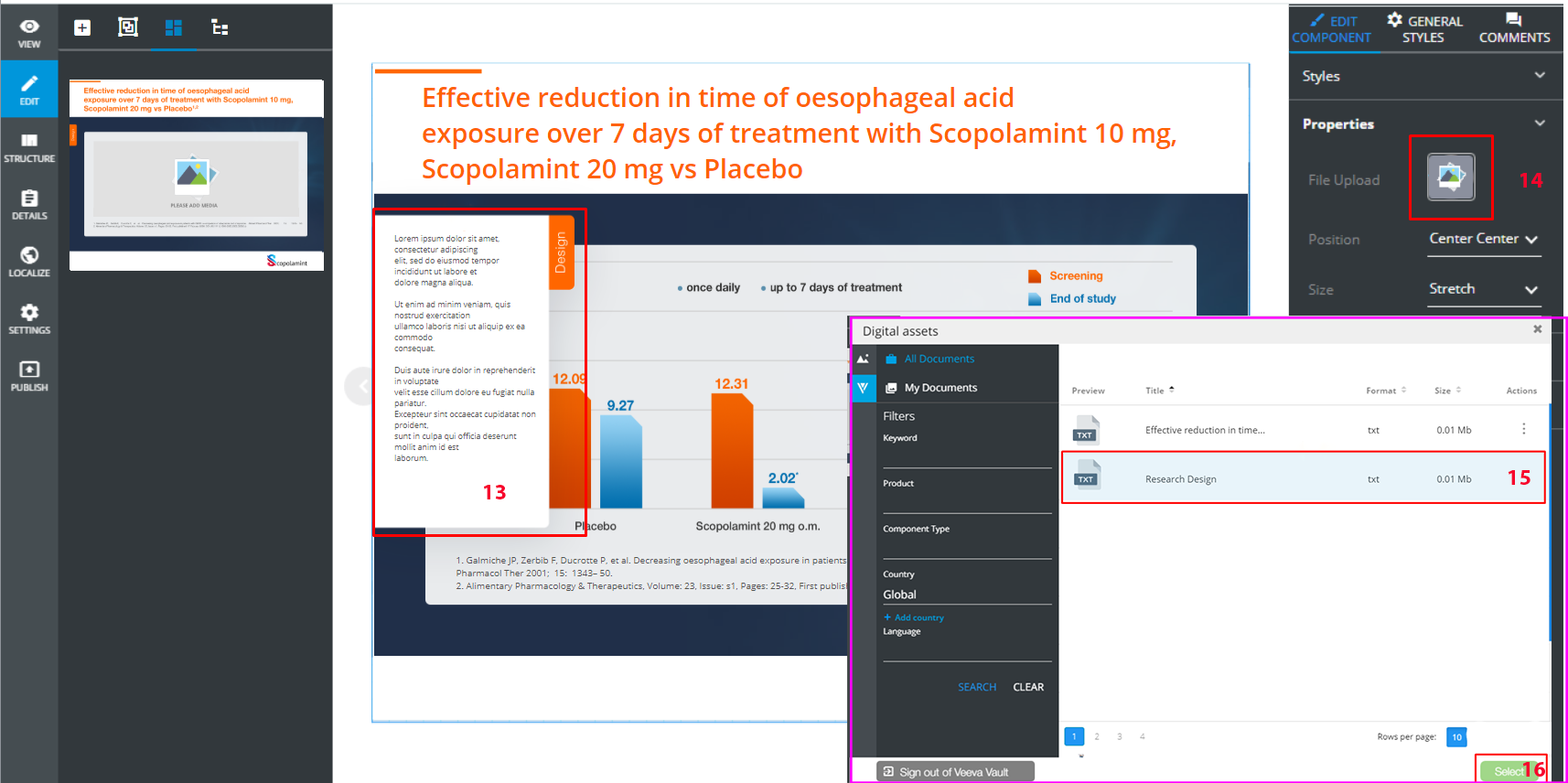
- Click the
Designtab:
- Click pop-up [13]
- Click
File Uploadin thePropertiestab [14] - Select a text document [15]
- Click
Select[16]
The process of block editing using Veeva Vault assets is completed.