Appearance
Veeva Vault custom configurations
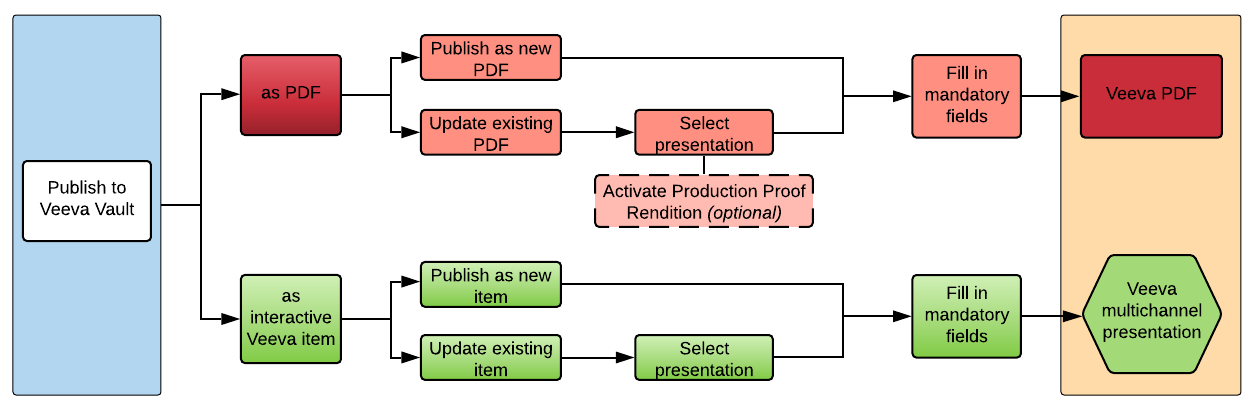
You can publish your eWizard e-Detailers to Veeva Vault as:
The chart below demonstrates the possible variations of publishing eWizard items to Veeva Vault:
To customize metadata fields, their visibility, and dependencies, contact the administrator.
Related original document
The Related original document feature is available for e-Detailers publication to Veeva Vault as interactive. With it, you can link your e-Detailer with the original document—a template automatically populating the metadata fields and other essential information. Once the feature is active, a dedicated checkbox appears on the preparation page.
To activate this feature, contact eWizard Support. In your request, specify the acceptable status and format of the related original document. Also, indicate the required metadata fields.
As a result, the metadata of the e-Detailer you're publishing is automatically filled in with the metadata of the linked original document.