Appearance
NaviGate
You can publish your e-Detailers to NaviGate. For this:
Choose
eWizard NaviGateas the target system:
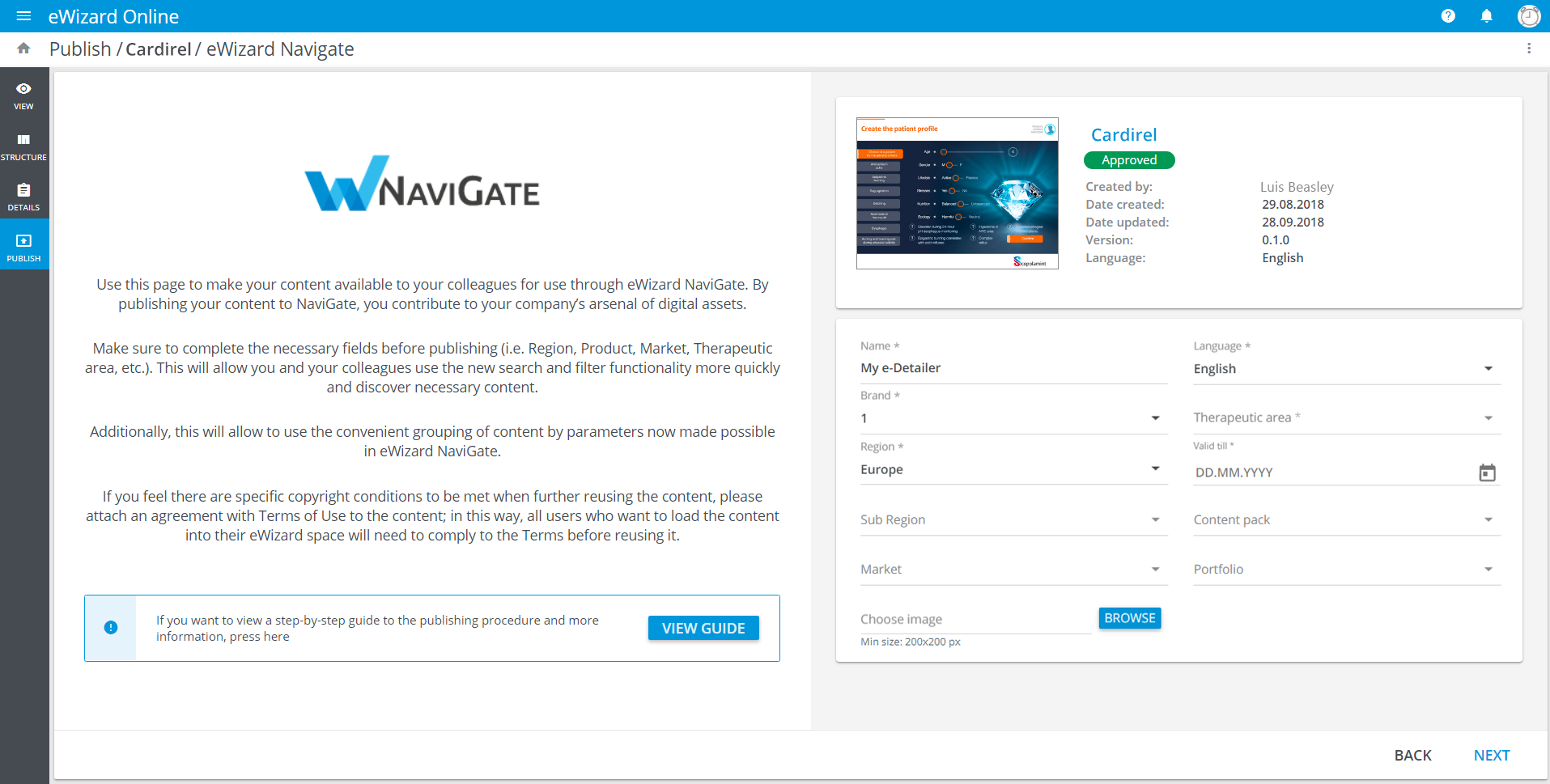
Fill in the required fields in the eWizard NaviGate Publish form. On this step, you can also upload a cover image for your item:
Note that the Content pack field options are predefined by your Brand field choice.
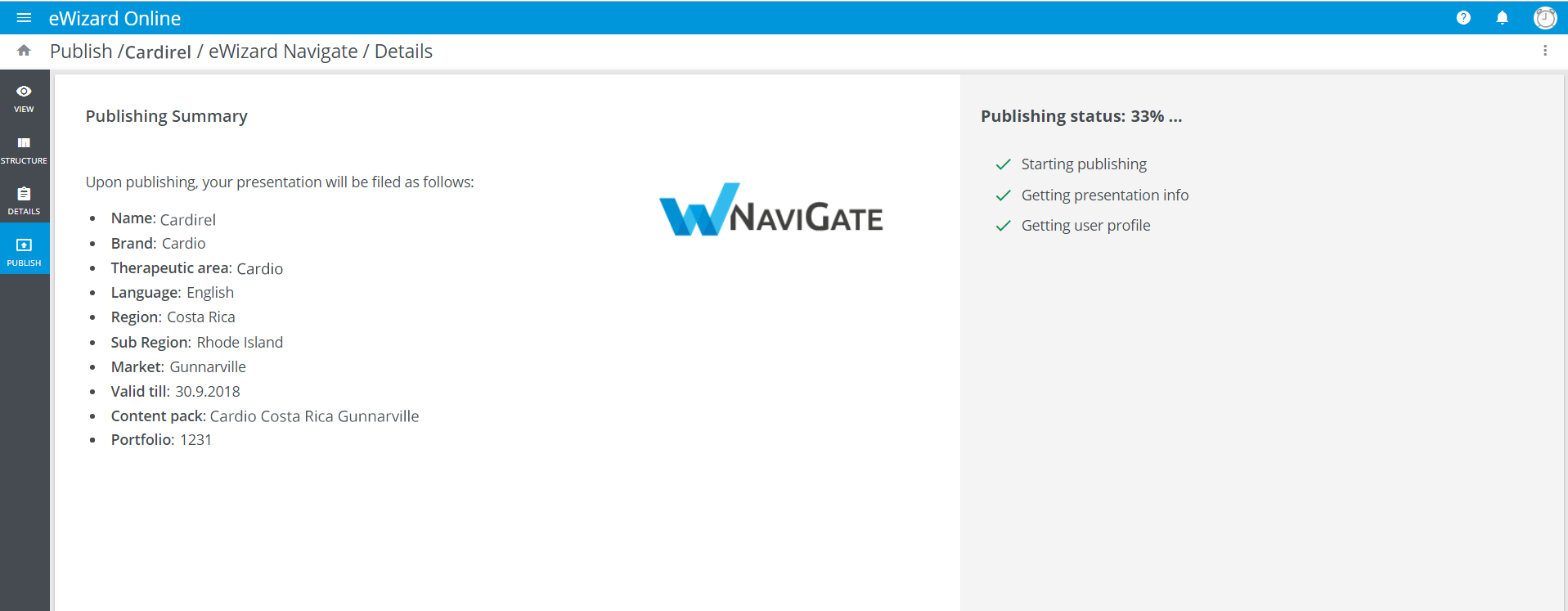
Check the details of the content you are publishing and click
NEXT.Click
PUBLISH: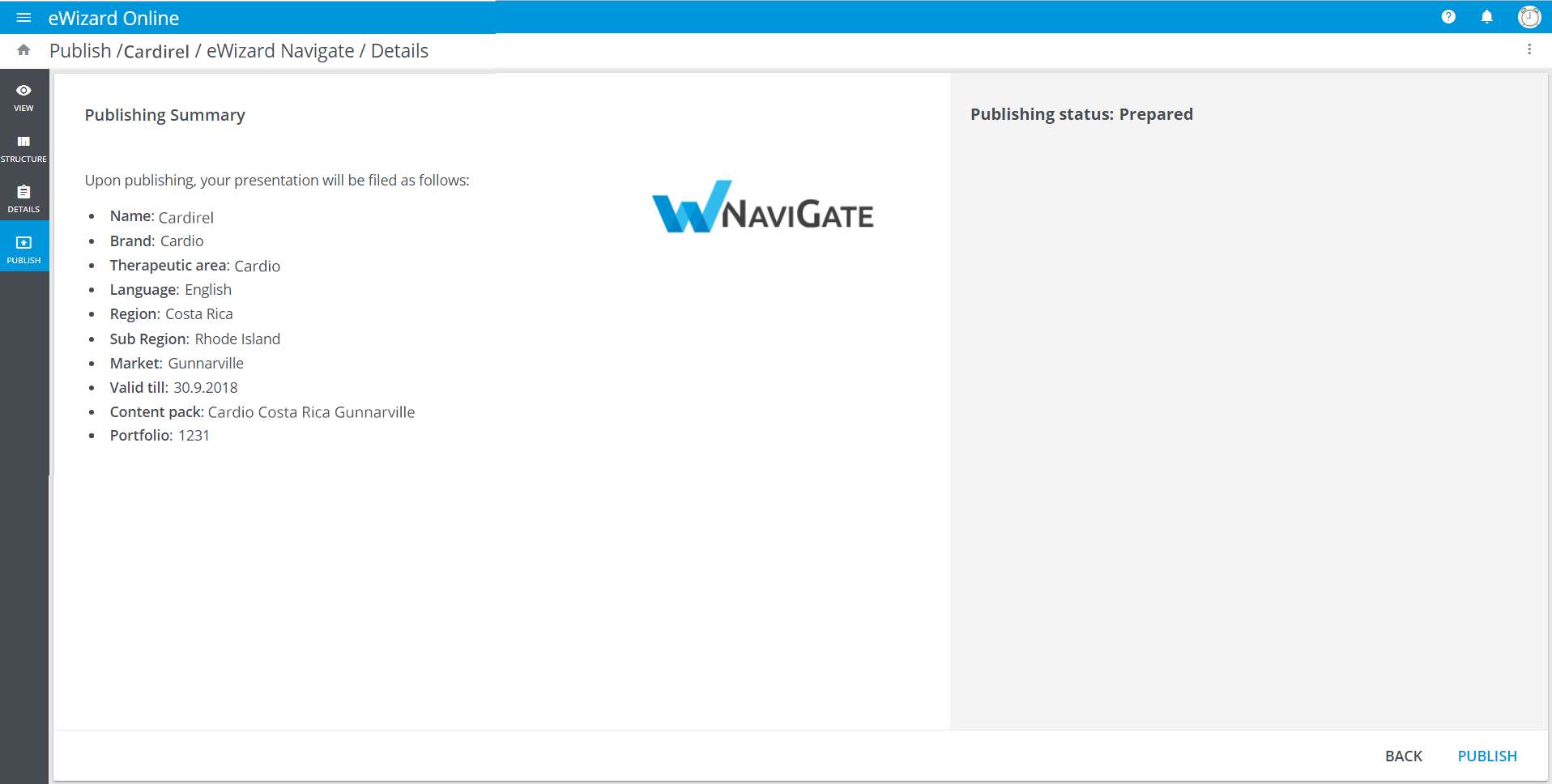
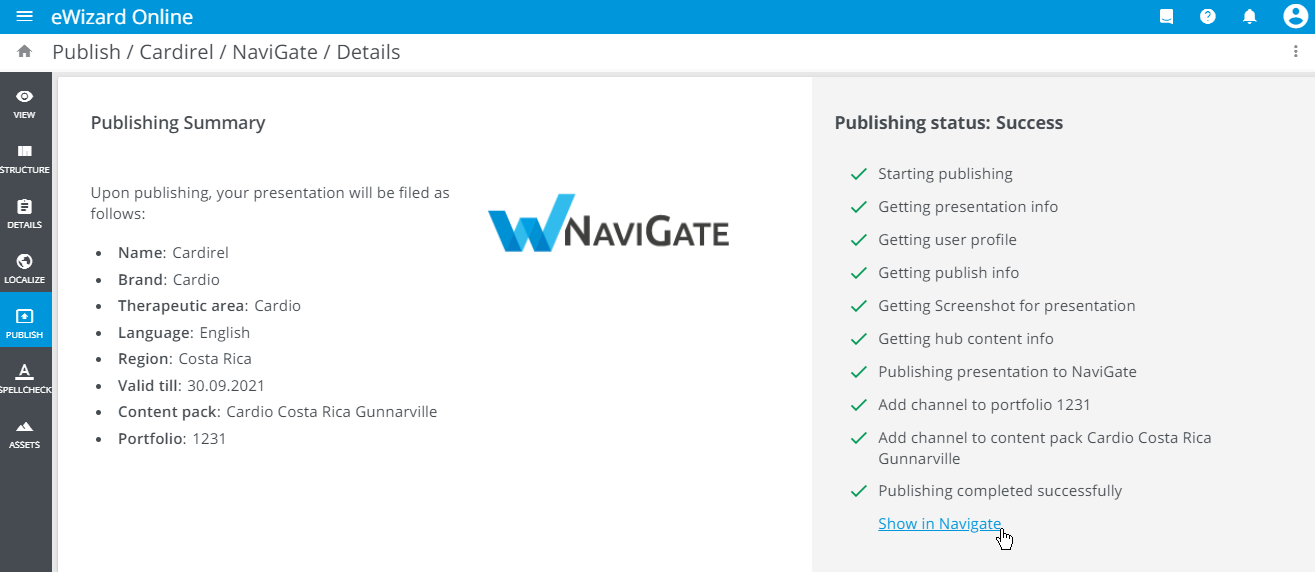
The publishing progress is displayed step by step:
Once the publishing process is complete, you receive the result message. Click the link to view the published e-Detailer in NaviGate (for successful publication):