Appearance
Common steps
Once you've created and prepared your e-Detailer for the target usage, it's time to send it to the platform to play its assigned role.
eWizard Export is at your fingertips for this need. It allows for creating dedicated builds based on your e-Detailers. This build is fully compatible with the target system and is formatted accordingly. Once generated, it is placed online visible for you only and available for download by the unique link.
Then download the build – and it is ready for upload or, for document and application builds, direct use.
eWizard Export features three major options:
- Export for CLM – the CLM-compatible build is created. Requires further upload to the target CLM.
- Export as a document – a PDF / PPT ready for immediate use is created.
- Export as an application – a standalone application ready to be installed on your portable device is created.
To export the item:
Unfold its more options.
Click Export → select a target system:
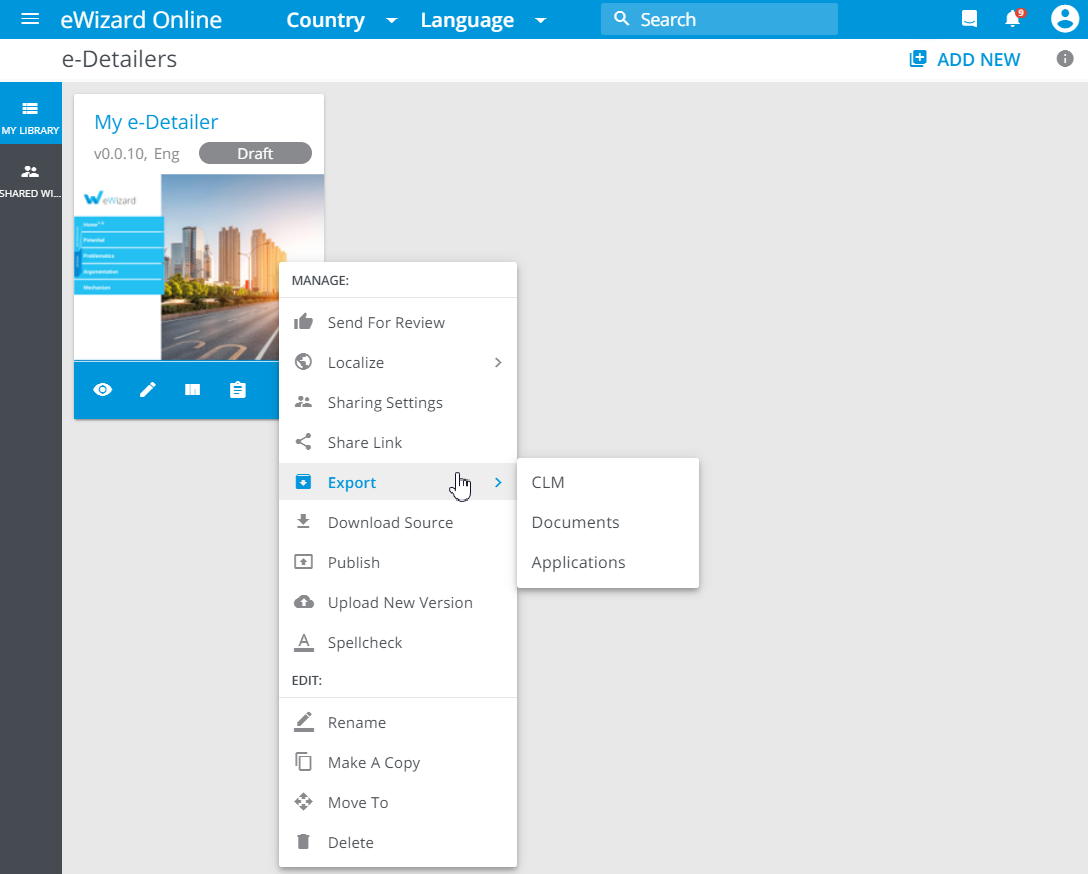
Further steps depend on the required export destination.
Once the build creation is completed, you receive an email notification with a unique link to download the item.
Alternatively, you can download the required build from the export history.