Appearance
Call flow export
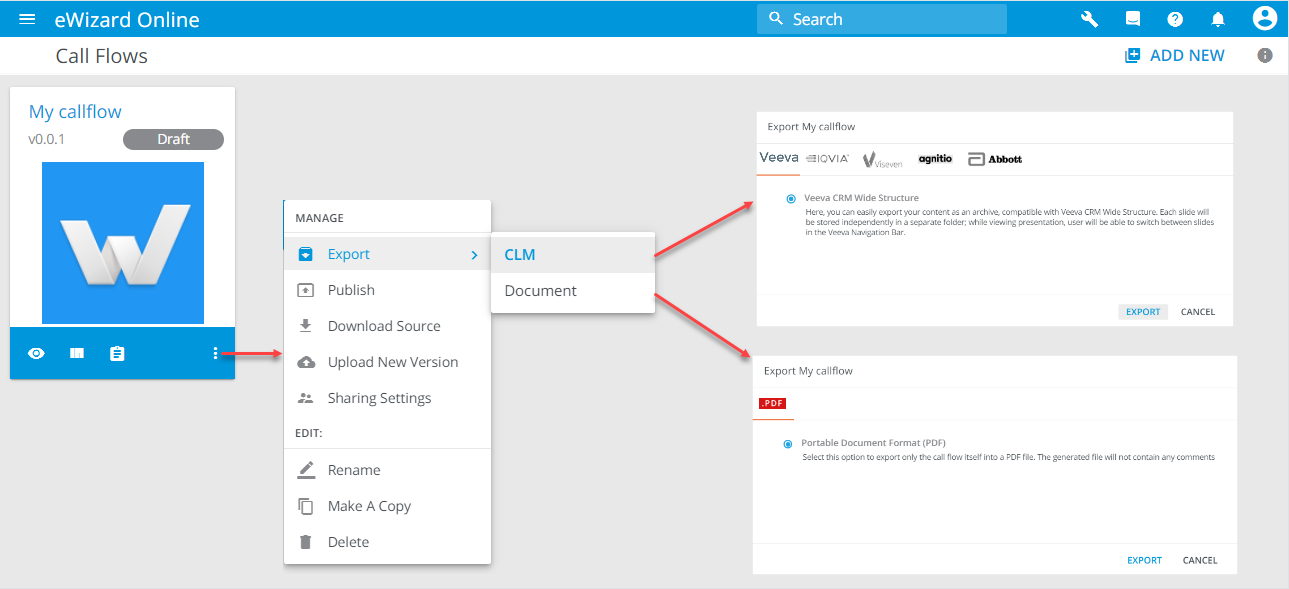
You can export call flow to CLM or Document. To do so:
Unfold
 of the required call flow.
Select
Export.Select CLM or Document according to your needs.
Select the target system or the format of the document (PDF) accordingly.
Click
Export.
You receive a notification with a link to download the build or document, depending on which export you selected.
Export details
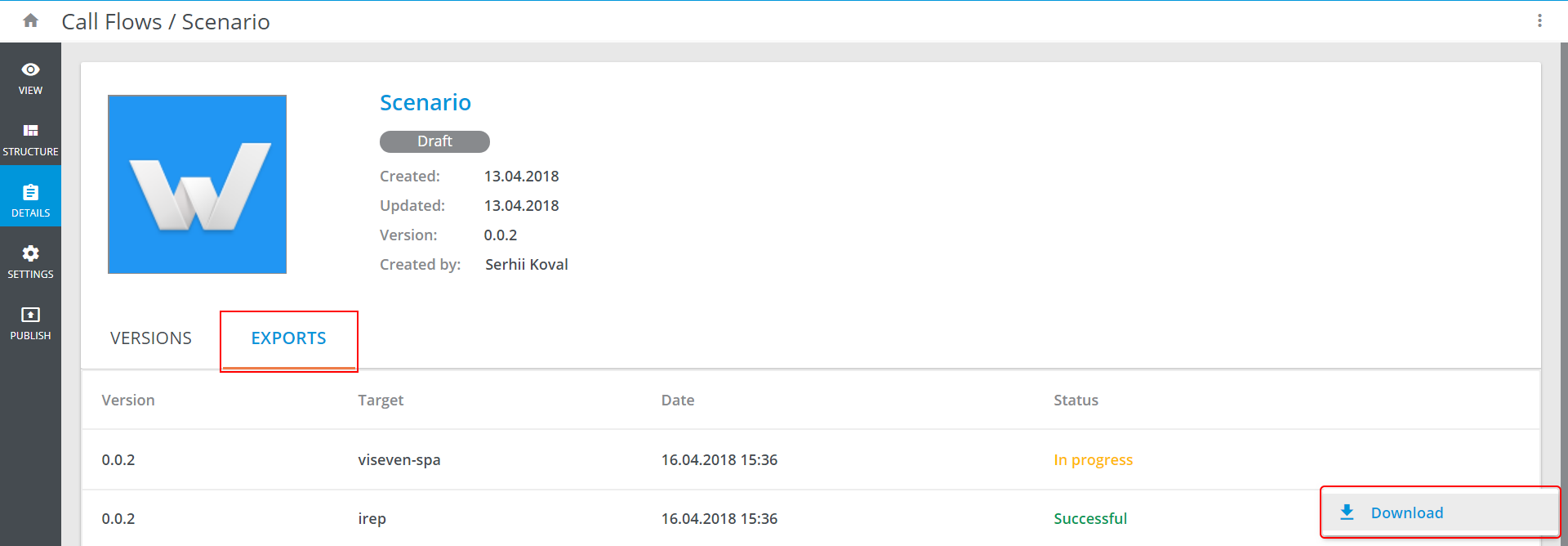
The export status can be viewed in the EXPORTS tab of the Call Flow's Details. Successful export builds can be downloaded via Download option in the more options menu of the build: