Appearance
sidebarDepth: 3 intercomTitle: eWizard Classic / Emails / Editor / Components / Navigation
Navigation
By default, the Navigation component allows you to set the navigation between the sections of your company: Terms and conditions, Privacy policy, Contacts, and Sign up. However, you can set up any other links here.
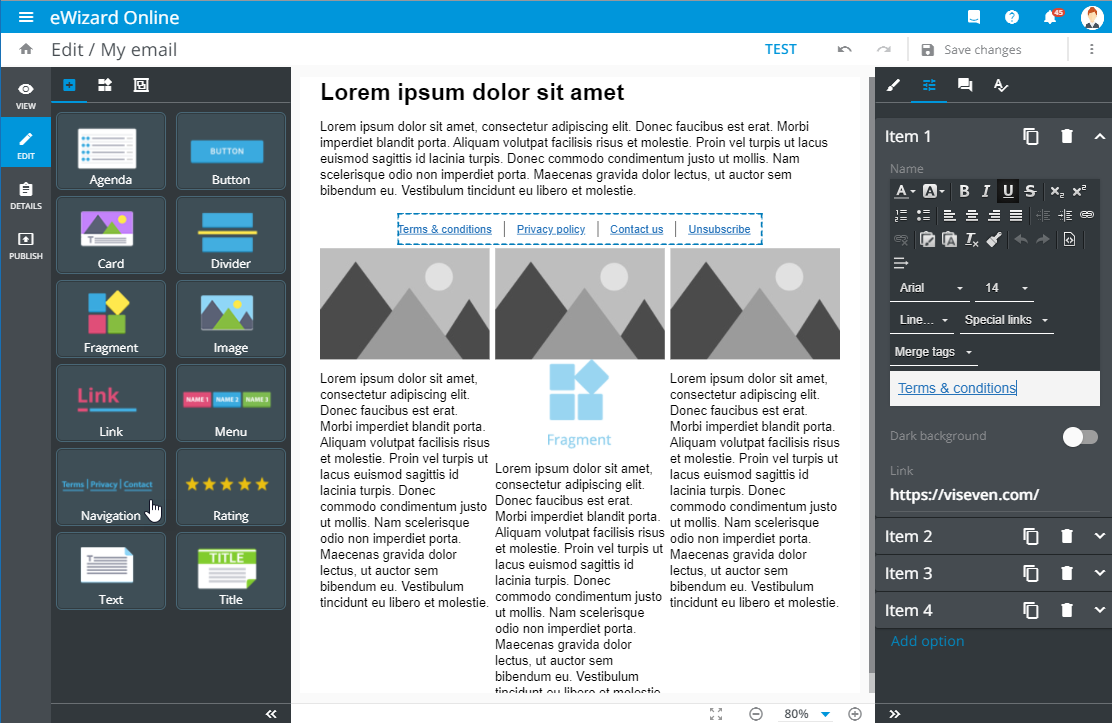
Under the Properties tab, you can perform the following operations with each item in the list separately:
| Control | Action | Notes |
|---|---|---|
Item | Unfold the item row to edit it | You can modify the item Name or add the required Link. Editing options follow the text pattern |
 | Duplicate the navigation item | The new navigation item appears in the list after the original one, preserving its properties |
 | Delete the navigation item | No confirmation is required |
Add option | Add a new navigation item | The new navigation item appears at the end of the list |