Appearance
Rating
The Rating component is the collection of items for retrieving a feedback from the email recipients. Refer each rating items to a unique link that can be tracked in the CRM system. In this case, the recipient interaction with the Rating component is recorded in a dedicated CRM report.
The component is available on demand. Please contact the administrator for providing you with the necessary email template.
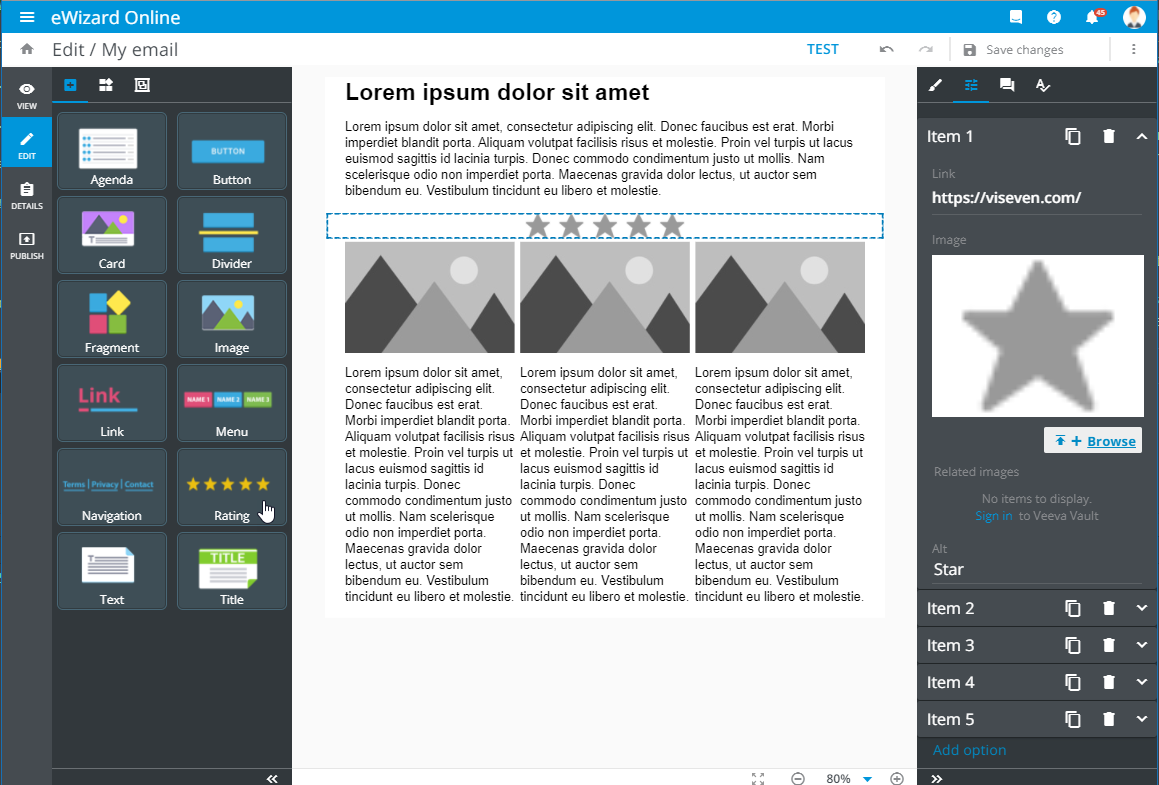
Add the component to the layout and customize each rating item. To do this:
Select the
Ratingcomponent on the layout.Go to the
Propertiestab.
Here you can manage the rating items in the following way:
| Control | Action | Notes |
|---|---|---|
Item | Unfold the item row to edit it | You can insert a link to track the activity, upload the rating item image, and enter the alternative image name |
 | Duplicate the rating item | The new rating item appears in the list after the original one, preserving its properties |
 | Delete the rating item | No confirmation is required |
Add option | Add a new rating item to the list | The new rating item appears at the end of the list |