Appearance
Images import
eWizard supports images import. For successful importing, your images have to meet eWizard requirements. So, you may need to prepare them for import into a slide. Look, how to crop an image and how to extract an image from the PDF file.
You can import images in two ways:
Upload them to Digital assets. Download them directly via Edit image pop-up (for more details see Image).
Preparing an image for import into a slide
Since eWizard supports the interactive presentations in different display resolutions, the image(s) used in the presentation should fit the Target device resolution.
eWizard has no size limitations for images' size. However, due to the differences of the screen resolution, not all devices can display pictures' full quality, when it is higher, than device's technical characteristics allow. Note: the higher the image's quality, the more time its downloading will take.
Take into account the following key characteristics:
Resolution (width and height in pixels): 1024х768px, 2048х1536 px, 1280×600 px.
Image density (ppi) – the number of pixels per inch.
The image format also influences the picture's size. eWizard allows importing jpg, png, and gif images.
A JPG format allows you to adjust image quality from 100% to 0% (or 10 to 0 in some programs) by means of image compression algorithms. However, we don't recommend to lower file quality more than 70-80%. Consider, when the same image is repeatedly saved in JPG, its quality reduces with each iteration.
A PNG format allows the image quality to remain the same. It supports the so called alpha channels. So, the size of a .png file is bigger.
A GIF format allows animation. It reduces the file size by decreasing the number of colors in the original image. Because GIF cuts a wide range of colors, your image may lose its attractiveness:

eWizard automatically resizes your image to the optimal size. The final resolution is displayed at the bottom of the edit window:
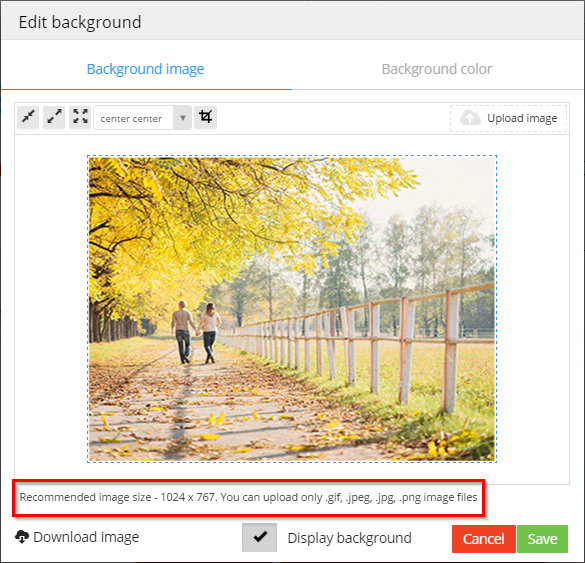
When you intend to use an image as a background, its resolution is recommended to be as follows:
Apple iPad (9.7" 1024×768);
Apple iPad Retina (9.7" 2048×1536);
Apple iPad Air (9.7" 2048×1536);
ASUS MeMO Pad 7 (7" 1280×800);
ASUS MeMO Pad FHD 10 (10.1" 1920×1200);
Nexus 7 (7.02" 1920×1200);
Nexus 10 (10" 2560×1600);
Samsung Galaxy Note 8.0 (8.0" 1280×800);
Samsung Galaxy Note 10 (10.1" 2560×1600);
Samsung Galaxy Tab (7" 1024×600);
Samsung Galaxy Tab 7.7 (7.7" 1280×800);
Samsung Galaxy Tab 10.1 (10.1" 1280×800).
The recommended picture's density is 72 pixels per inch. Although the image may slightly lose its quality, the presentation will work smoother.