Appearance
Rollback to the previous version
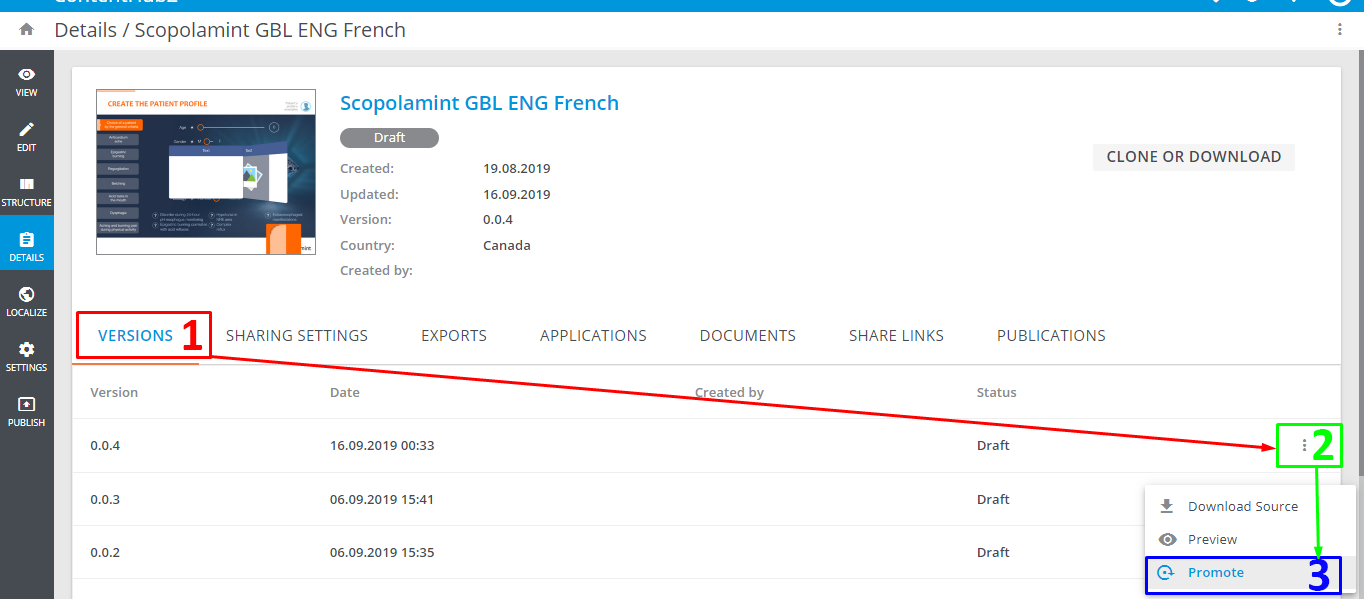
To revert the changes in the e-Detailer to the specific version:
Go to the
Detailspage of the required e-Detailer.Go to the
VERSIONStab [1].Find the required version of the e-Detailer.
Unfold its more options [2].
Select
Promote version[3].
This option is not available for e-Detailers with status Reviewed.