Appearance
Call flow creation
To create a call flow:
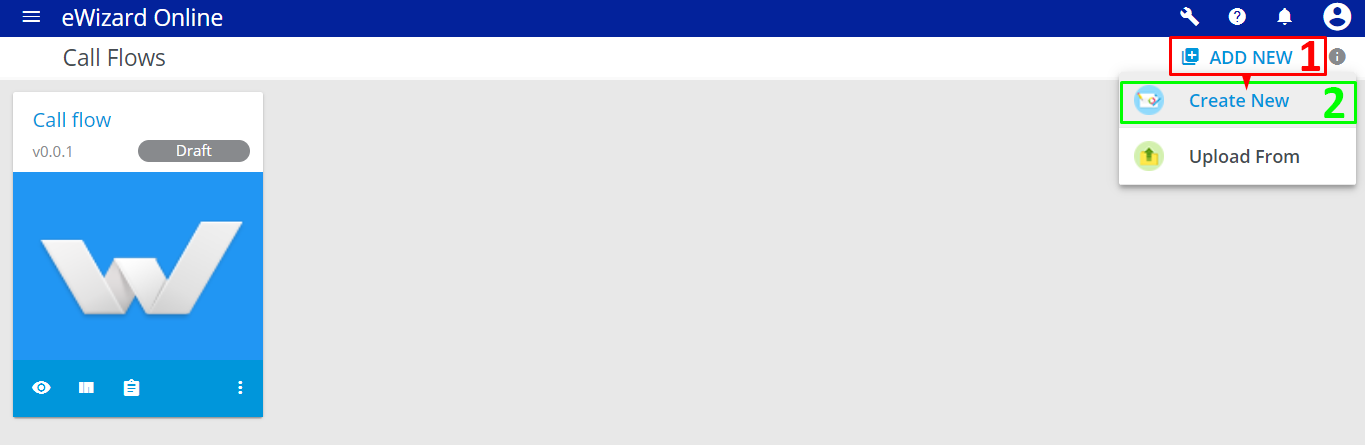
Click
ADD NEW[1].Select
Create new[2]:
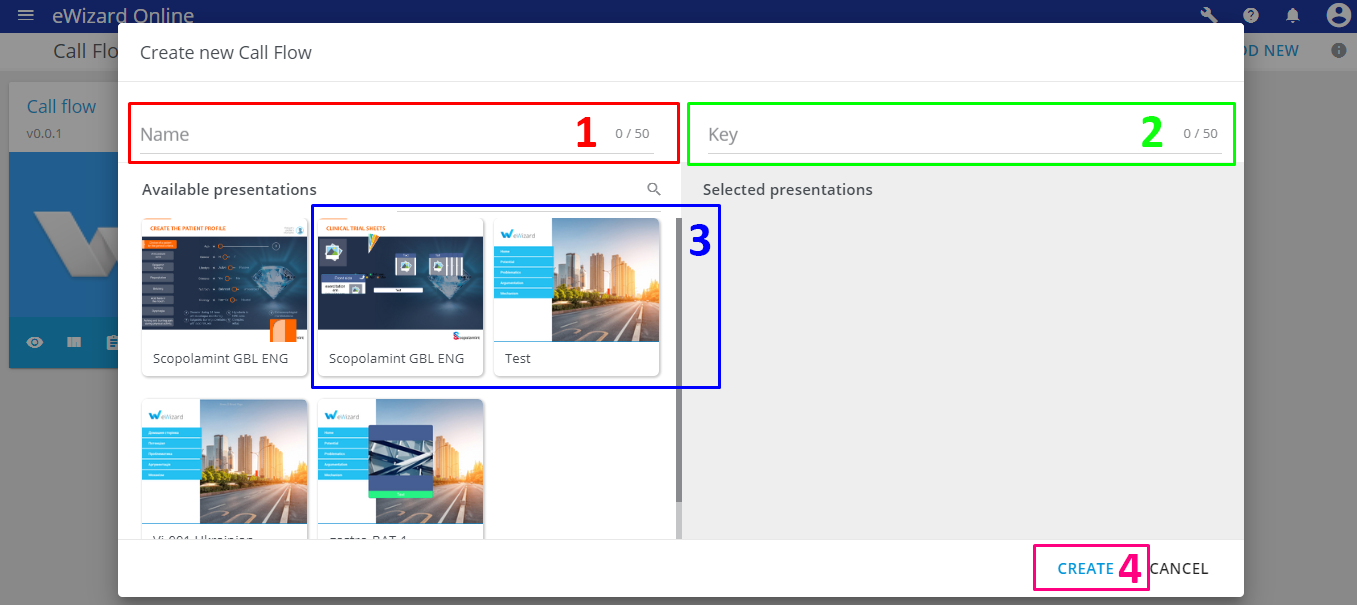
Enter the name of the call flow [1].
Enter the Key [2].
Key is the code of the flow. It corresponds to the users' group in the CRM system. CLM checks the code in the user's info and displays the flow with the appropriate Key value. The key is tied to the Main Flow (the main chapter of your flow). When medical representatives create a call, they can upload the call flow by the Key entered while creating.
- Select the presentations you want to add to the call flow [3].
When you select an available presentation during a call flow creation, it appears in the Selected presentations block and can be taken apart slide-by-slide in the call flow structure editing mode.
- Click
CREATE[4].