Appearance
Calculations
Available for e-Detailers and emails
On the CALCULATIONS tab of the Details page, you can estimate the development cost of e-Detailers or emails and edit the calculation metadata.
The calculator is available on demand. Contact the administrator for details.
To estimate the cost of your content item:
Open the required content item.
Go to the
CALCULATIONStab.Click the
Add calculationbutton.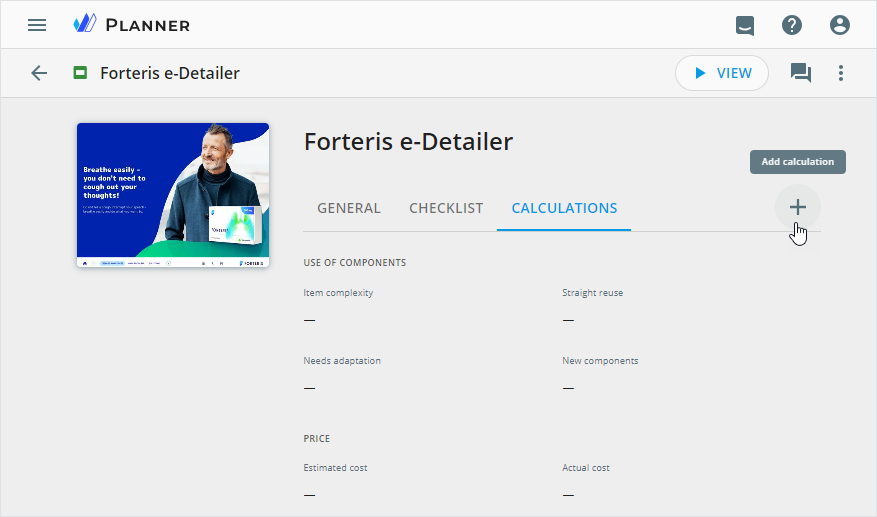
Fill in the following metadata fields in the
Add calculationpopup:
| Field | Action | Notes |
|---|---|---|
| Item complexity | Select the complexity of your content item—Low, Medium, or High | The Medium value is selected by default.The PRICE, PRICE PER SLIDE, and PRICE PER ITEM field values depend on the selected complexity.The e-Detailer of low complexity contains simple components. The medium complexity item includes complex components and animation effects. The e-Detailer of high complexity includes customer-specific slides. |
| Straight reuse | Enter the number of components to reuse | The default value is 1. |
| Needs adaptation | Enter the number of components requiring adaptation | The default value is 1. |
| New components | Enter the number of new components to add to your e-Detailer | The default value is 1. |
| Content tagging | View the content tagging price | The default value is €90,00. |
| Number of slides | Enter the number of new slides to add to your e-Detailer | The default value is 1.The PRICE PER SLIDE is the sum of the Straight reuse, Needs adaptation, and New components prices.The PRICE PER ITEM is the sum of the Straight reuse, Needs adaptation, and New components prices multiplied by the number of slides. |
| Estimated cost | View the estimated cost of the content item development | The Estimated cost is the sum of the Content tagging and PRICE PER ITEM values. |
| Actual cost | Set the actual cost of the content item development | Use a comma to separate whole and decimal numbers. |
The values in the PERCENTAGE, PRICE, PRICE PER SLIDE, and PRICE PER ITEM fields are read-only and calculated automatically.
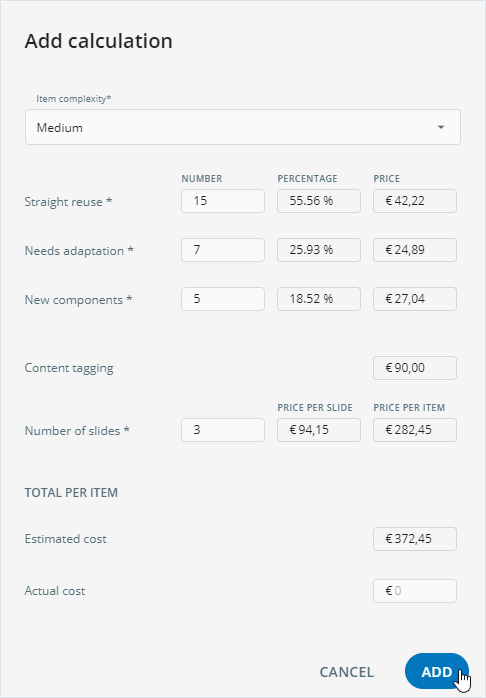
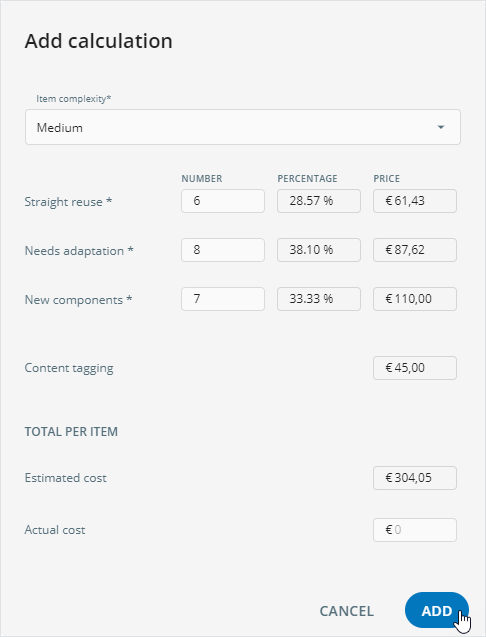
The fields marked with asterisks (*) are mandatory.
- Click
ADD.
You can change calculations metadata with the Edit details button.
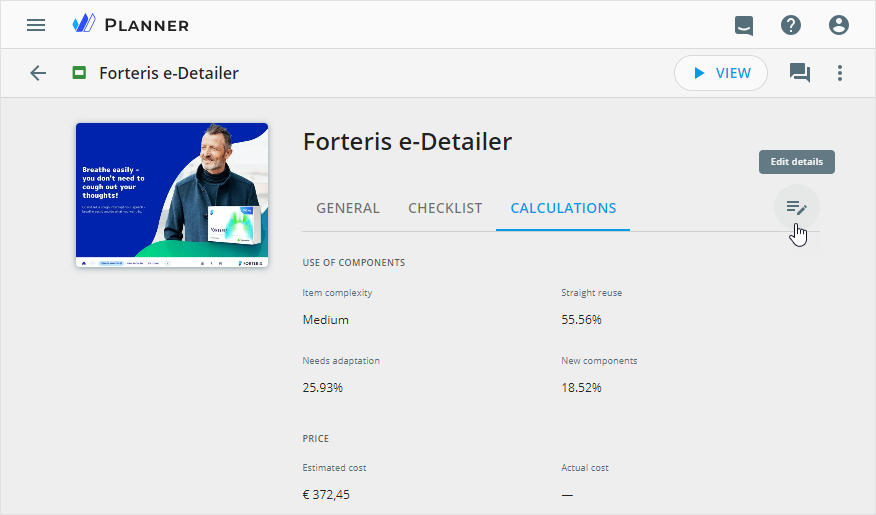
Users with proper permissions can view and edit calculation metadata. Contact your administrator for details.